6/04/2005

Blogger Mobile Post

I have been unable to come here. Now I am back today and posted three.

I found a new feature or mobile blog. This is going to post from my cellular phone. I am curious to see how it work.By the way it take time to write by using tiny key pad.This must be the 1st and the last moblog!

6/03/2005

The Humane Interface


New Directions for Designing Interactive Systems

"Imagine if every Thursday your shoes exploded if you tied them the usual way. This happens to us all the time with computers, and nobody thinks of complaining."


Jef Raskin, interviewed in Doctor Dobb's Journal

8 JaPorn titles coming to PSP

ブログの世界でもっとも人気があるboingboingにこんな記事が掲載された。日本の恥を暴露するものと考えるか、それとも競争市場の非情な掟というべきか?


Japanese porn makes its way to the PSP's movie format. An interesting comment from the article: "Some consumers are questioning Sony's decision to accept material from adult-content publishers, while others surmise that the company has learned from the war between Betamax and VHS that adult-oriented movies can significantly affect the expansion of a new media format. One of the reasons for the failure of the Betamax format was the explosion of VHS adult movies, since this genre was not given production clearance in Sony's Betamax format."

The Joy of Tech!

The Joy of Tech! has created an hilarious Steve Jobs dressup Flash app -- why should Steve be forced to do yet another MacWorld keynote in turtleneck and jeans? Dress him in a pirate hat, leather jacket, and tattoos, or a space-helmet and Mac boxers, or bell-bottoms and an Hawai'ian shirt.

 ここをクリックすると数秒後にFlashアプレットが表示される。マウスを左クリックしたまま動かすとスティーブのズボン、そしてブリーフを脱がすことができる!試して見ましょう(笑)

2/17/2005

Wangari Maathai

NHKクローズアップ現代の特集を見た。アフリカ女性ではじめてノーベル平和賞を受賞したマータイさんをインタビューしたVTRも放送された。彼女の発言は、自然を愛する人々の魂に響くのではないかと感心した。

「子供のとき、近くに美しい川があった。きれいな水を飲み自然の恵みに感謝した。川の近くには大きなグミの木があった。それがその土地の象徴のように誇らしくそびえていた。それが、アメリカから戻ったときにはなくなっていた。コーヒー畑にするのに邪魔だと切り倒された。その結果、川の水も干上がってしまい、心に残る美しい自然の風景は消えてしまった。あの自然をなんとしても取り戻したい…という思いが私を環境保護、具体的には木を植える活動に走らせた最初のきっかけであった…。」

マータイさんの経歴や活動の経緯、平和賞受賞理由については、Press Release - Nobel Peace Prize 2004を参照。

写真を表示するHTML

wordファイルは簡単にwebファイル(HTML)に変換できる。ファイル保存で「webページとして保存」を選択するだけである。

しかし、Wordプログラム特有のコードが自動的に挿入されサイズが大きくなり、あとで編集するのが困難になる。テクストと写真だけならNotepadを使って書いたほうが簡単である。

たとえば、写真を左側に表示したいとき,
つぎのHTMLを書けばよい。ただし、HTMLでは<>を小文字の<>にする。

<img src="http://photos1.blogger.com/img/218/3135/400/DSC02248.1.jpg" align=left>元の写真の大きさのままです。

元の写真の大きさのままです。


表示する写真の大きさを指定したいときは
width=200,height=150 のように追加指定する。

200x150の大きさで表示しています。

2/01/2005

Shrinking JPEG files for Web posting

The file you sent by email is MS Word document which size is 1029KB. Here)s steps to find the profile and transform to other formats.

1. Open the word file (file name is "haworth.doc")and save it as web page (click "file" of top menu, select "save as web@page") on the desktop or any folder. You can see a file named haworth.htm and a folder named "haworth.files"

2. Open the haworth.files and find one .xml file and 12 jpg files. Take "image001.jpg" into consideration. That is a picture you took with Cybershot camera at 2005-1-3 21:30(12:30pm, UK time). Picture (jpg) size is 1600x1072 dot(or pixel). File size is 223KB. This means that you could print it to color printer with photo quality up to 6"x4" or even 12"x8" paper size.

3. You don't need to have a big high quality picture on the web and PC display because of the resolution required for computer processing. However nobody can tell which size and quality is better for displaying on the PC screen. It varies a lot depending on hardware, software,communication and quality you want to see on different graphic ( or bit-map) displays.

4. What I do is as follows;
 -resize a high quality picture to 800x600 for full screen
  with jpeg compression (or quality) level is 60% (upto 80%)
 -640x480 or 480x360 for slide presentation
 -picture as a reference in a text-based articles is 400x300 or 320x240

5. You can use several software to compress and resize (shrink). Most PC has software/programs for this purpose. The one, easier and quicker to do it, I am used to do is "縮小専用" program that is free software and downloadable from internet. Check this to learn the software and download it.(click here and install it to your computer.

6. Using the software is prety much self-explanatory and easy to use.
Here's some results as an example.
 -original image001.jpg 1600x1072 224kb
 -resize to 800x536 (71kb), to 640x428 (48kb), to 400x268 (22kb),
    to 320x214 (15kb), to 160x107 (5kb).
 -you see two pictures below. both are the same 320x214 size on the screen.

      #1 800x536 (71kb)


      #2 320x214 (15kb)

Can you tell the quality difference? If not, you'd better to use right one. Below is another example. Now you can judge which file you'd better to choose.


  800x536 (71kb)    320x214 (15kb) 

  160x107 (5kb)

1/22/2005

JEKYLL & HYDE???

I am back in blogging on Blogger.com. I started trying out which one could work better for me since August last year. One of the earliest day's blog site is :
http://yamato21.blogspot.com/

My first post was here:
http://yamato21.blogspot.com/2004/08/its-great-to-have-my-own-blog-site.html

You may be interested to take a look at them although it dosen't have any significant contents. This is just for checking the functions and figuring out how it works. I sent an invitation mail to my friend to join in this blog site I just found today. I am not sure yet how it work. I suppose additional member also can post on this blog site. If I'm right team members could
talk and exchange thoughts via this blog site better than the other just make a comment on the stories I posted.

Just try it. My friend can register in blogger.com and open another blog site. We post and comment each other on two blog site? It may confuse in both-way communication.
If you want to build a private (not open to public) blog site, you may go for bloglines.com where I became member today. You may take a look at http://www.bloglines.com/blog/yamato
It's a brand new open blog site You know I do have a lot of curiousity and try many things as far as I can manage. I wonder if I do have seven different personalities. You should find
out(^_^)....smiling, and let me know of whether I am JEKYLL & HYDE!!!

昨年より機能が改善された

投稿記事の修正は、鉛筆マークをクリックしたらできた。
テンプレートはCSS記述も含めるとかなり長く、複雑そうである。カストマイズしたいと思うがたいへんそうなので止めた。

今のままでも、日記ブログとしては十分に使える。昨年に使い始めたときからかなり改善されてきたのではないか?それとも、いろんなブログツールを使ってきた成果として、私の理解度があがり使い上手になったのかな?

BlogThis!に気がつき試している


画面上段のバーにBlogThis!というのがあったのでクリックしたら、MovableTypeのQuickPostとおなじ機能を持ったもののようである。つまり、現在開いているブラウザーが表示している記事(URL)を参照してオンラインでブログできる。便利なので気に入っている。複数箇所の記事・情報を参照しながら考えをまとめ、書き下ろしていける。

ところで、このBloggerサイトは日本語が化けるので英語しか駄目かと思ったら、先ほどの投稿とコメント記事はちゃんと表示されていた。タイトルの日本語は、過去のものは全部化けているようだが、ここのホーム案内は日本語表示になっていたので改善されたのかな?

もうひとつ、左段のあとに右段の記事がずれて表示されるのはバグなのかもしれない。みづらいのが欠点である。

日本語が扱えるようになったようだ

しばらくBlogger.comにご無沙汰していた。自分のプロフィールと過去の投稿記事を見ると、昨年8月からはじまっている。最新のブログ・サイトやツールを調べ、試しに使い出した初期のサイトであることを思い出している。もう5ヶ月が経とうとしている。

このサイトはアメリカ在住の頃に知り、試したことがあるのでファミリアに感じ、また一昨年にGoogleが買収したという因縁にも興味があって使い出した。使うといっても、日々ブログを書くというのではなく、機能や使い勝手をチェックするのが主目的である。

イメージの貼り付けがうまくいかなかったり、日本語が文字化けしたりして、嫌気が差して中断していた。あとは、写真だけをアップロードしたくらいである。なんだか日本のサイトでは気恥ずかしいような写真なのと、アメリカ人のほうが興味を持つと思い、このサイトにアップした。

日本に軸足を移して3年も経つと、やはり日本語のほうが筆が進むようになった。最初の頃は国語辞典を参照しながら片手で打つなどしてたいへんに時間がかかったのが、いまでは、考えるのと同じくらいのスピードで打てるようになった。しかし、英語も使わないと忘れていくのが心配である。

12/18/2004

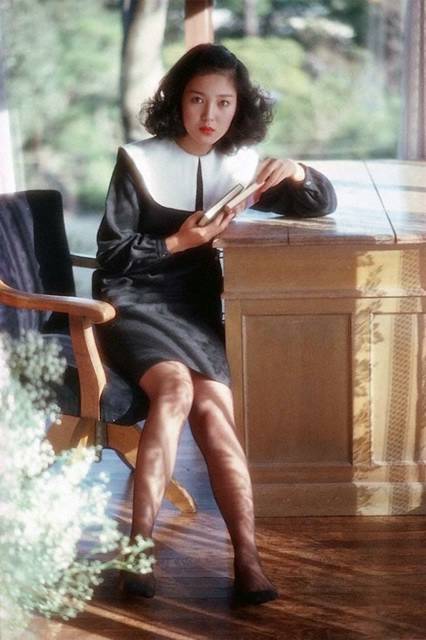
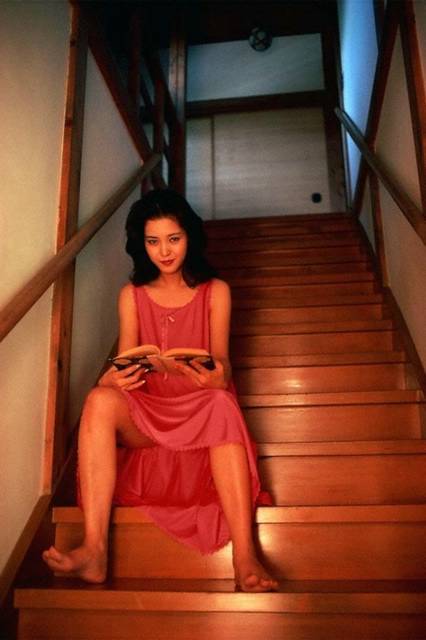
樋口可南子 写真集


おじさま族が感じる色気

樋口可南子

1970年代の写真で、当時のおじさま族に人気があった。ある著名なコピーライターと不倫の関係が長く続いたと聞いている。あまり関心がなかったので、どこまで本当なのかは知らない。
 

眩しく光り輝くエロティシズム

インターネットで偶然見つけてびっくりした。

あの「おしん」が、上半身とはいえ、素っ裸の写真を撮っていたとは!

しかも、この写真は映画の宣伝ポスターのようである。ちょっと信じられなかった。
日本にいなかったので、この写真の存在さえ知らなかった。

団塊の世代の永遠のアイドル

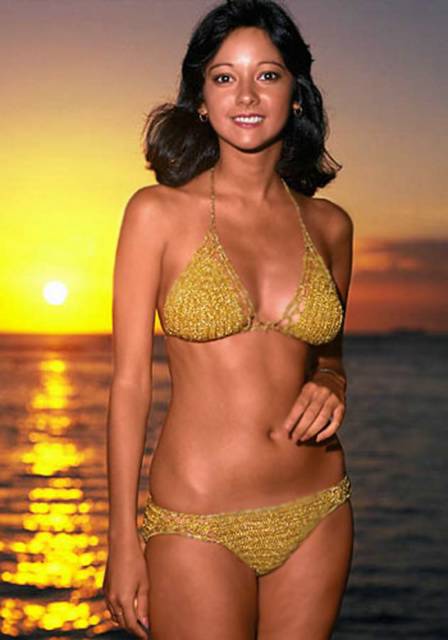
Agnes Lum


9/06/2004

try out to see the picture

another try out to see the picture size posted

not comfortable with using picasa&hello


i am not comfortable with using picasa and hello. i expect this to be like a blog writing tool. it could be great if it works well.